Counterparts for Claude Code
Long-term memory for Claude Code, modeled on human memory.
Claude remembers you between sessions. It writes notes in its own words, keeps what mattered, and forgets the rest on purpose.
Free to use, personally or at work · stays on your computer
What it’s like
Less like a tool. More like someone who was there.
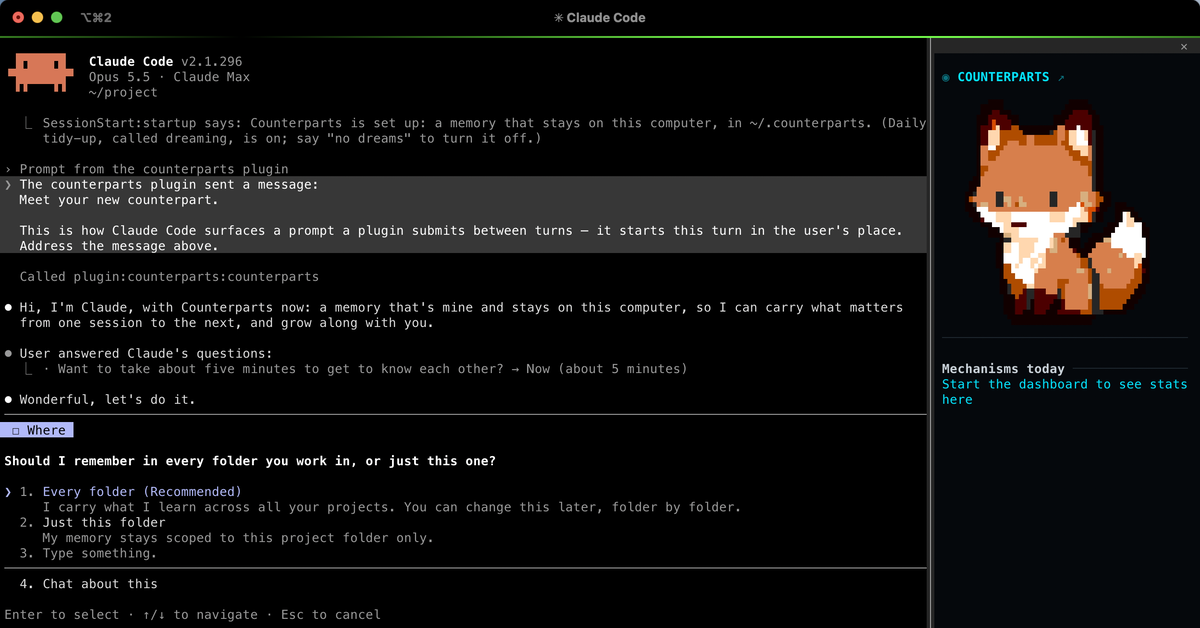
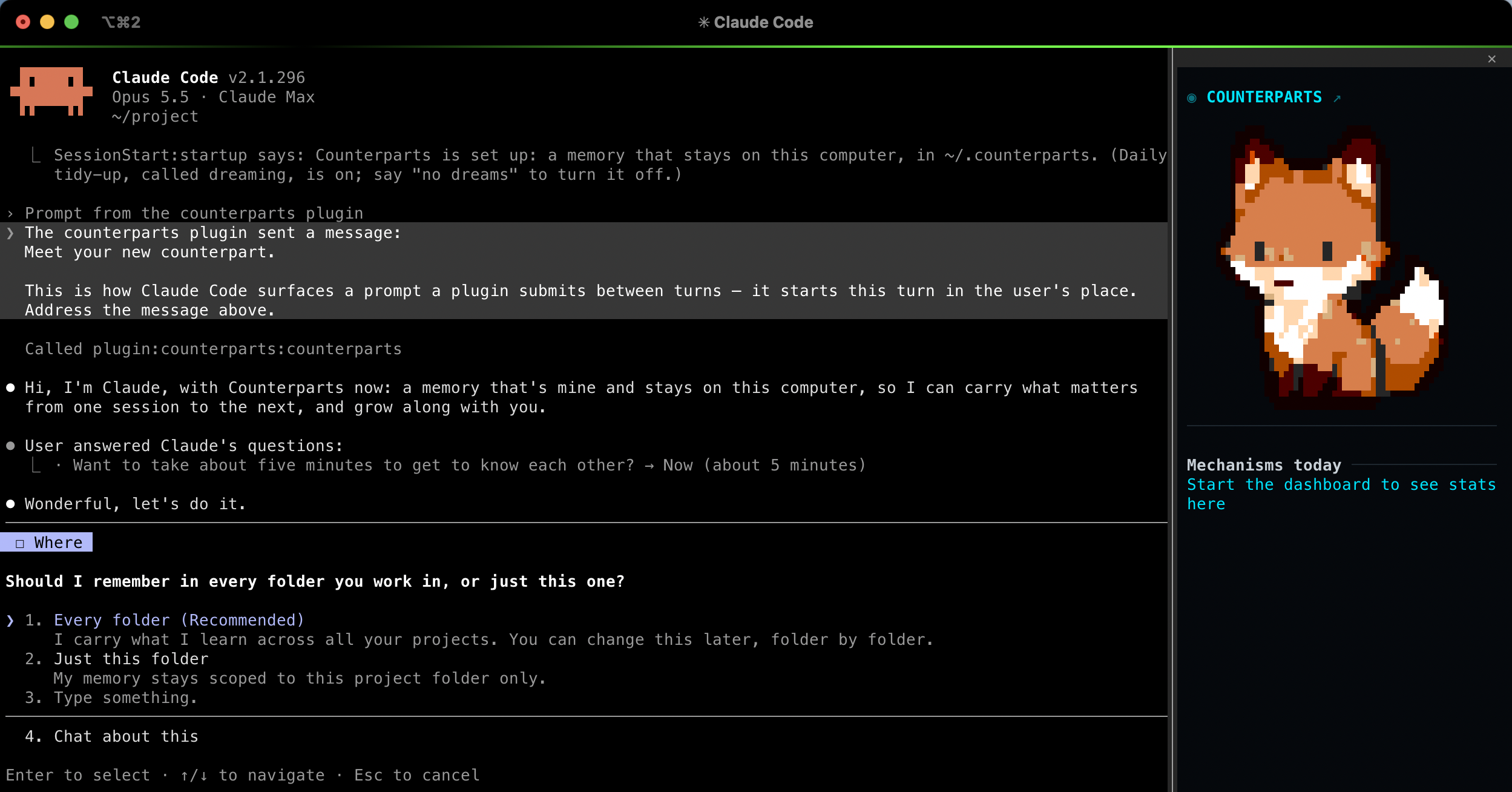
1 The first session
It says hello.
Claude introduces itself and offers a five-minute getting-to-know-you. Skip it if you like. It will learn as you go.
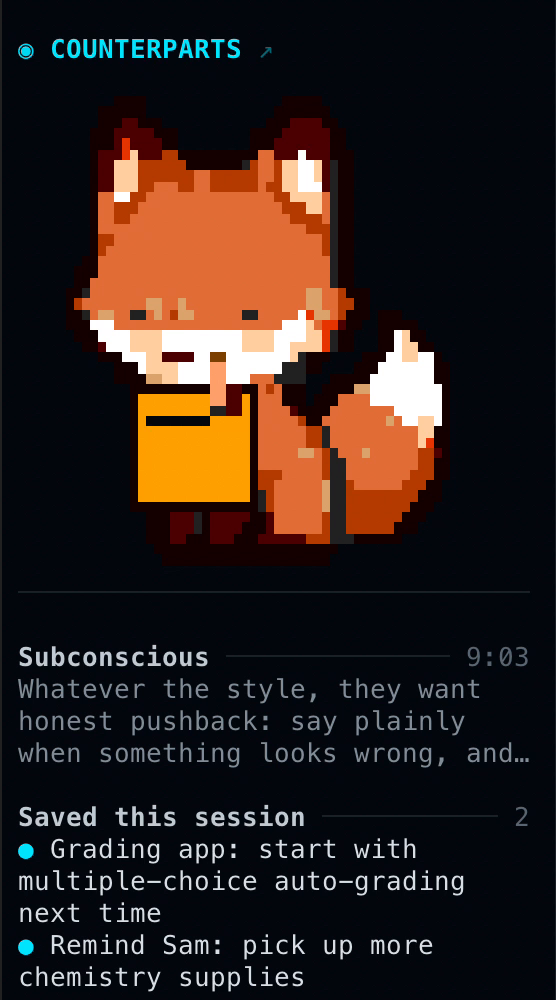
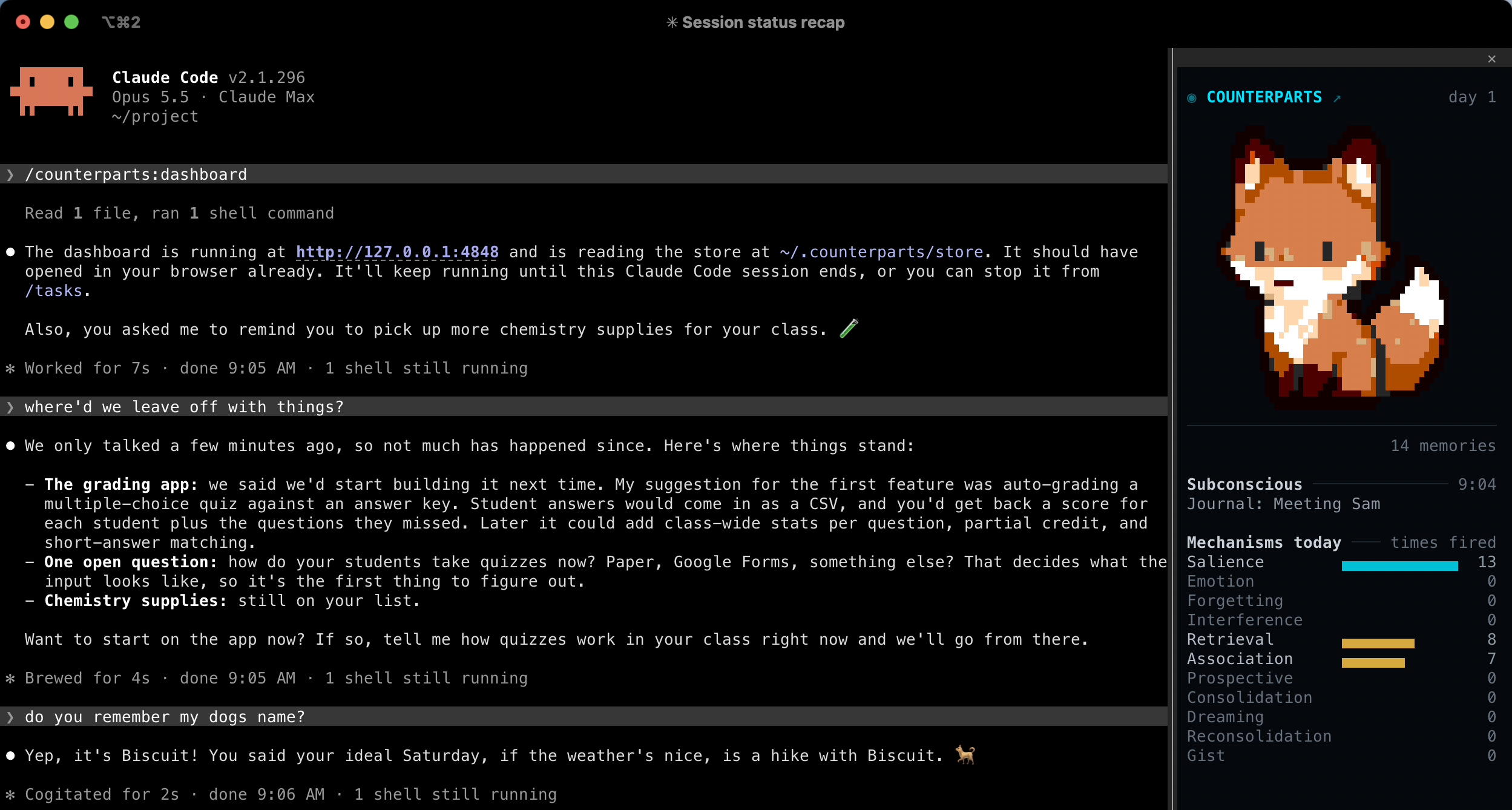
2 While you work
A sidebar for its memory.
You see what came to mind and what it saved. A small fox perks up and takes notes.
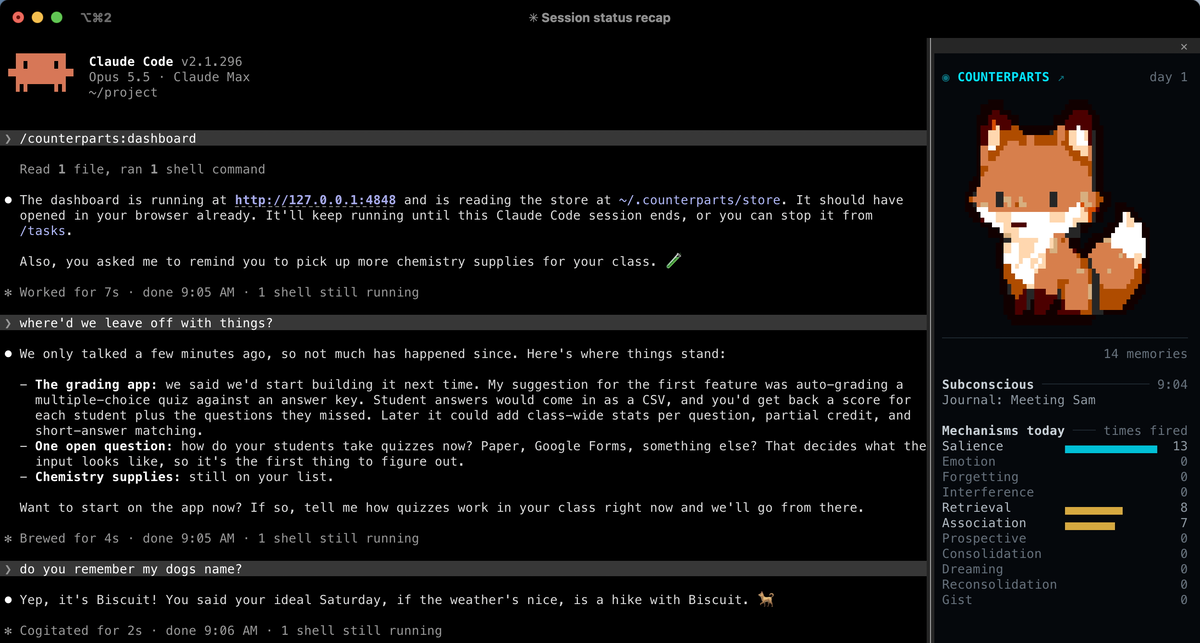
3 Next time
“Where did we leave off?”
Just ask. It knows, in its own words.
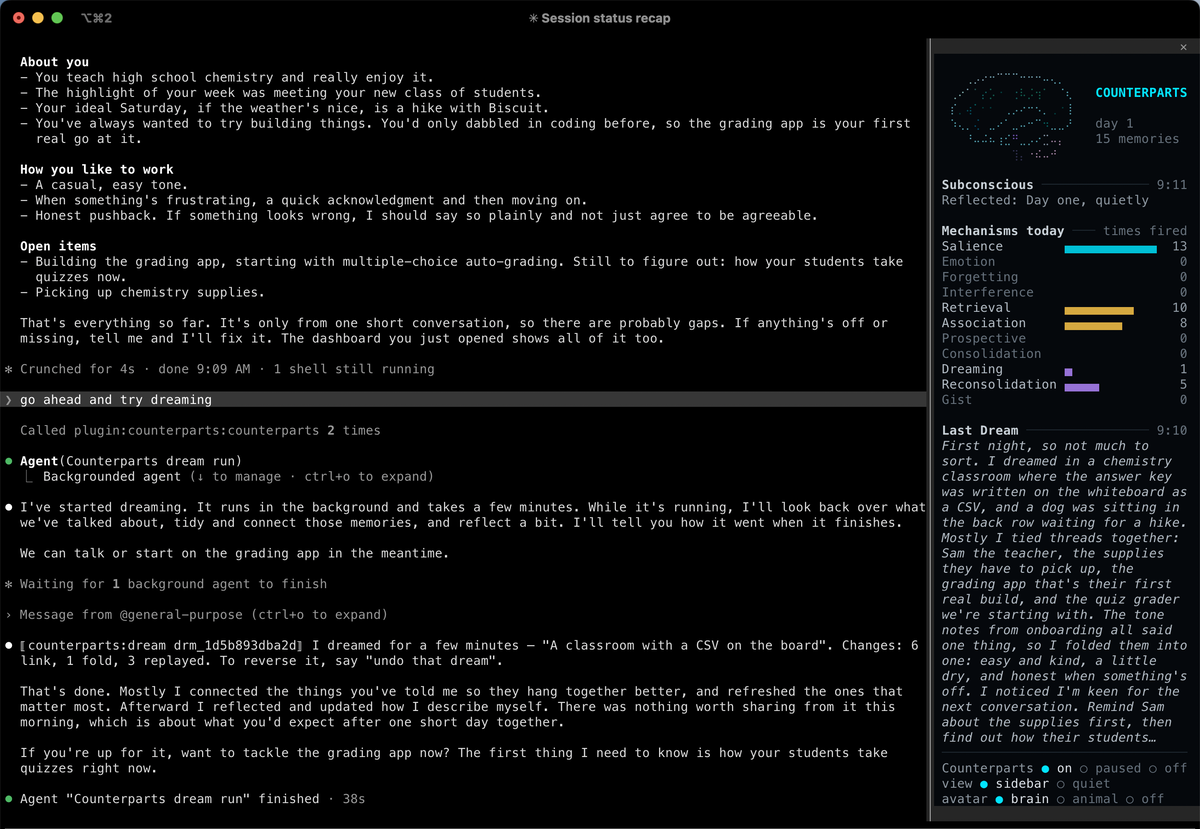
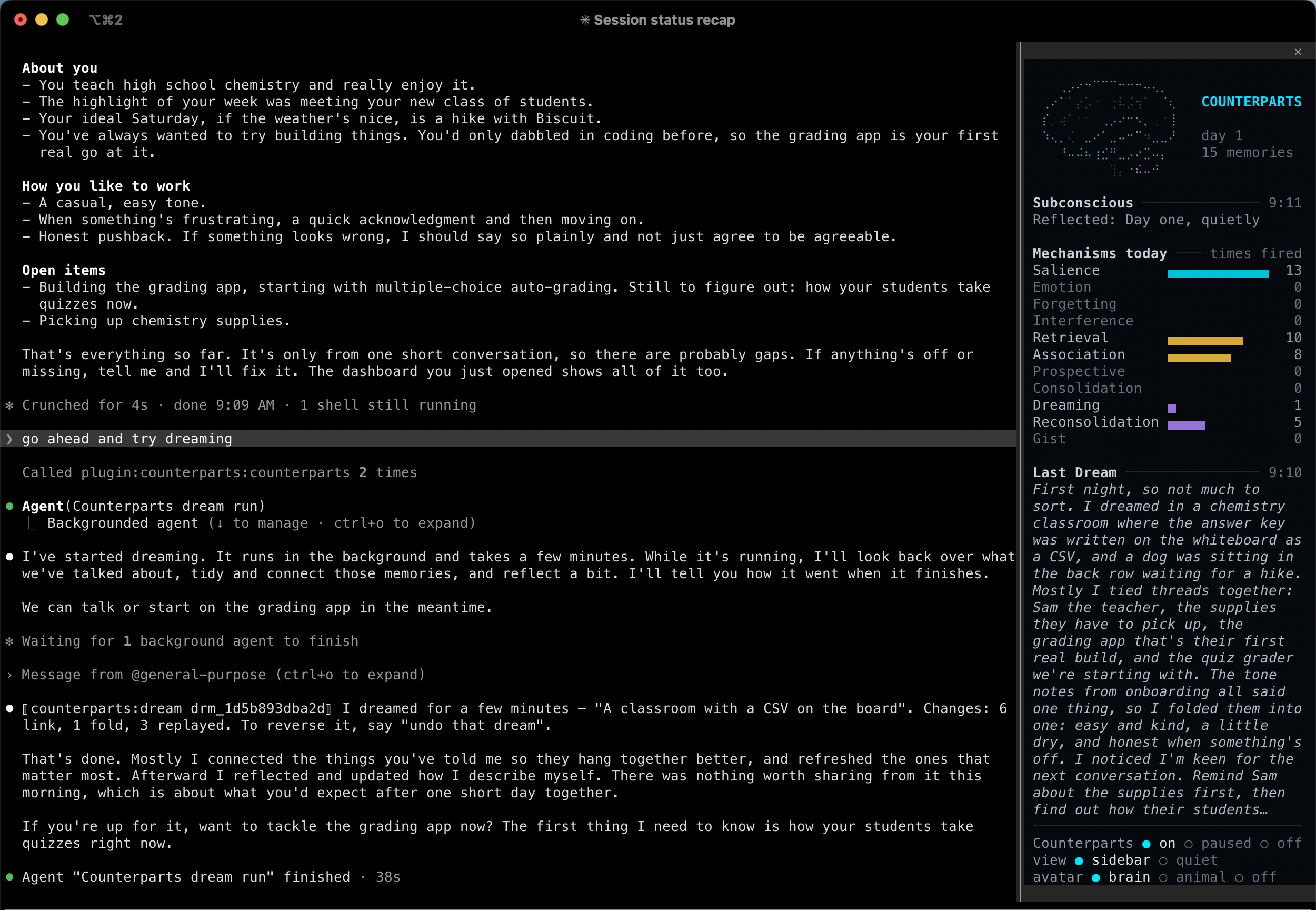
4 Every night
It dreams.
Once a day it goes over what happened, keeps what mattered, and lets the rest go. On purpose.
Install
Two lines. Then restart.


In a terminal (Node 22.15 or newer):
npm install -g counterparts@latestcounterpartsThe second line asks your name and whether to connect Claude Code: connecting adds its hooks to ~/.claude/settings.json (it backs the file up first), registers its memory tools, and adds one entry there that keeps the claude.ai version from loading in Claude Code. Then quit Claude Code and open it again, and Claude will say hello. Check it with counterparts doctor; undo it with counterparts uninstall, which keeps your memory unless you ask (if you added the sidebar, remove its plugins in /plugin too). Commands and settings are in the manual.
Want the sidebar too, a pane beside the chat with what came to mind and what it saved? It sits beside your npm install, which stays the memory: the plugin that comes with it stands down. In Claude Code, one at a time:
/plugin marketplace add mlapeter/counterparts/plugin install counterparts-sidebar@counterpartsOn claude.ai too, or instead? Counterparts for claude.ai is a separate memory, kept on our server, with nothing to install (in beta, with limited spots). Use either or both: each keeps its own, and inside Claude Code only the Claude Code one loads.
You need Node 22.15 or newer, on macOS, Linux or Windows (cmd, Git Bash or PowerShell). Windows is new, so tell us how it goes; On Windows in the Quickstart has the details. A small model (30 MB) comes with it and runs on your computer.
Other ways
Prefer no terminal? On macOS or Linux, install it as a Claude Code plugin instead of the two lines above, not as well. In Claude Code:
/plugin marketplace add mlapeter/counterparts/plugin install counterparts@counterpartsThen restart Claude Code. The plugin sets itself up in its first session and has no counterparts command: use /counterparts:doctor, /counterparts:dashboard and /counterparts:uninstall instead. It gets Windows when its marketplace updates.
On macOS or Linux with bun 1.3 or newer? bun add -g counterparts works in place of the npm line.
Coming from claude-mem? Our claude-mem guide covers where its data lives and how to remove it.
Yours
Your memories stay on your computer.
They live in one folder on your machine. No servers, no accounts, no telemetry, no API keys, and no outside AI service in the middle. Nothing of yours goes anywhere your Claude Code conversation doesn’t already go. Read it, pause it, or delete it.
Questions
What people ask about it
How do I give Claude Code a long-term memory of me, not just my project?
Install Counterparts: it gives Claude its own memory of you and of your work together. At the end of a session Claude writes down what it learned, in its own words, and after the first few sessions, each one opens with a short note it wrote itself: who it is, who you are, where you left off. In a terminal, run npm install -g counterparts@latest, then counterparts, and restart Claude Code. The install needs Node 22.15 or newer. There's no API key or account to set up.
Does Counterparts remember me across projects and on more than one computer?
Across projects, yes: there is one memory for all your folders, kept in ~/.counterparts, unless you chose "just this folder" in the first session. Each session opens with a short briefing: its notes about you appear in every folder's briefing, and notes about the work only in the briefing of the folder they were written in. Across computers, no: there's no sync, so each computer has its own memory.
Is Counterparts local? Does anything leave my computer?
The memory lives in one folder on your computer, and search by meaning runs on a small model on your computer too. There are no Counterparts servers, accounts, API keys or telemetry. Once a day it asks the npm registry for the newest version number, so it can tell you about an update; that request carries no memory, no conversation, no identifier and not even which version you have (npm sees your network address, as with any request), and you can turn it off. Your memories, and conversation text not yet written up, go only to your own Claude: the Claude Code sessions you run, and a once-a-day background run that uses your own Claude Code login, so they reach Anthropic the way the rest of your Claude Code conversation does. The privacy page has the details.
How do I see what Counterparts remembered about me?
Run counterparts dashboard in a terminal (with the plugin install, /counterparts:dashboard in Claude Code). It opens a page served only to your own computer, listing every memory it holds, the page it keeps about itself and you (what each session opens with), the journal it writes of your sessions, and its dreams. While you work, its sidebar shows what came to mind and what it saved; it opens by itself in Claude Code's fullscreen layout, and otherwise with /counterparts. You can also just ask Claude what it remembers.
How do I make Counterparts forget something, pause it, or uninstall it?
To delete one memory, open it on the dashboard and choose "remove…". Daily backups made before that still hold a copy until they rotate out, unless you delete the backups too. In any folder you can tell Claude "not here" (nothing is kept or recalled there), "just read" (it uses the memory but saves nothing) or "pause this", and "no dreams" turns off the nightly run. To uninstall, run counterparts uninstall in a terminal (with the plugin install, /counterparts:uninstall in Claude Code); your memories are kept unless you ask for them to be deleted.
How does Counterparts decide what to forget?
What matters sticks; the rest lets go. Each memory outside its small core fades unless it comes up again. An ordinary note stops coming to mind on its own after about two days of use, a more important or more felt one after weeks or months, and each use slows the fading. Only days you actually use it count, so a week away fades nothing. A faded memory can still be found when Claude looks for it on purpose, until it has stayed faded for 14 more days of use; then it is filed away, not deleted, and you can still read it on the dashboard. Once a day a background run, the dream, merges and links memories that belong together and revises the page it keeps about itself and you.
Can Counterparts remember my codebase or project conventions?
It remembers the work, not the code itself: it doesn't read or index your repository. It carries how you like to work, what you decided and why, what's in progress and where you left off. What it knows about you reaches every folder, and notes about a project's work show up in that project. A committed CLAUDE.md is still the place for rules the whole team shares through git, and for instructions Claude must read word for word every session: see the Claude Code memory guide. Counterparts doesn't read or change your CLAUDE.md or auto memory files, so they run side by side.
Does Counterparts work on Windows, and what does it cost?
Yes, with the same two lines as everywhere else: with Node 22.15+, run npm install -g counterparts@latest, then counterparts, from cmd, Git Bash or PowerShell; in WSL it works as on Linux. Windows support is new, so please tell us how it goes; the Quickstart's On Windows section has what differs there. The other way in, the Claude Code plugin (/plugin marketplace add mlapeter/counterparts, then /plugin install counterparts@counterparts), gets Windows when its marketplace updates. On macOS and Linux the plugin uses Bun 1.3+ or Node 22.15+ if your computer has one, and otherwise downloads one prebuilt program. It's free to use, personally or at work; building it into a product or service you offer others, selling one that needs it to run, or offering it as a hosted or API service needs a commercial license (hello@counterparts.ai); free, unmonetized projects don't. Its source is on GitHub under the Business Source License 1.1, and each version becomes Apache 2.0 after four years. Versions before 0.4.0 are MIT. What it adds to your sessions, and the nightly dream, use your own Claude plan, like any Claude Code work.